
Site Backups and Restore Are Now Available
In an "update and pray" workflow, backup is a separate plugin and restore is a Saturday spent hoping the export still imports. SGEN now ships site backups and restore as a native, conflict-free workflow inside Stage & Live — complete with restore points and audit-ready logging. No external add-ons, no disconnected recovery steps.
What's now live
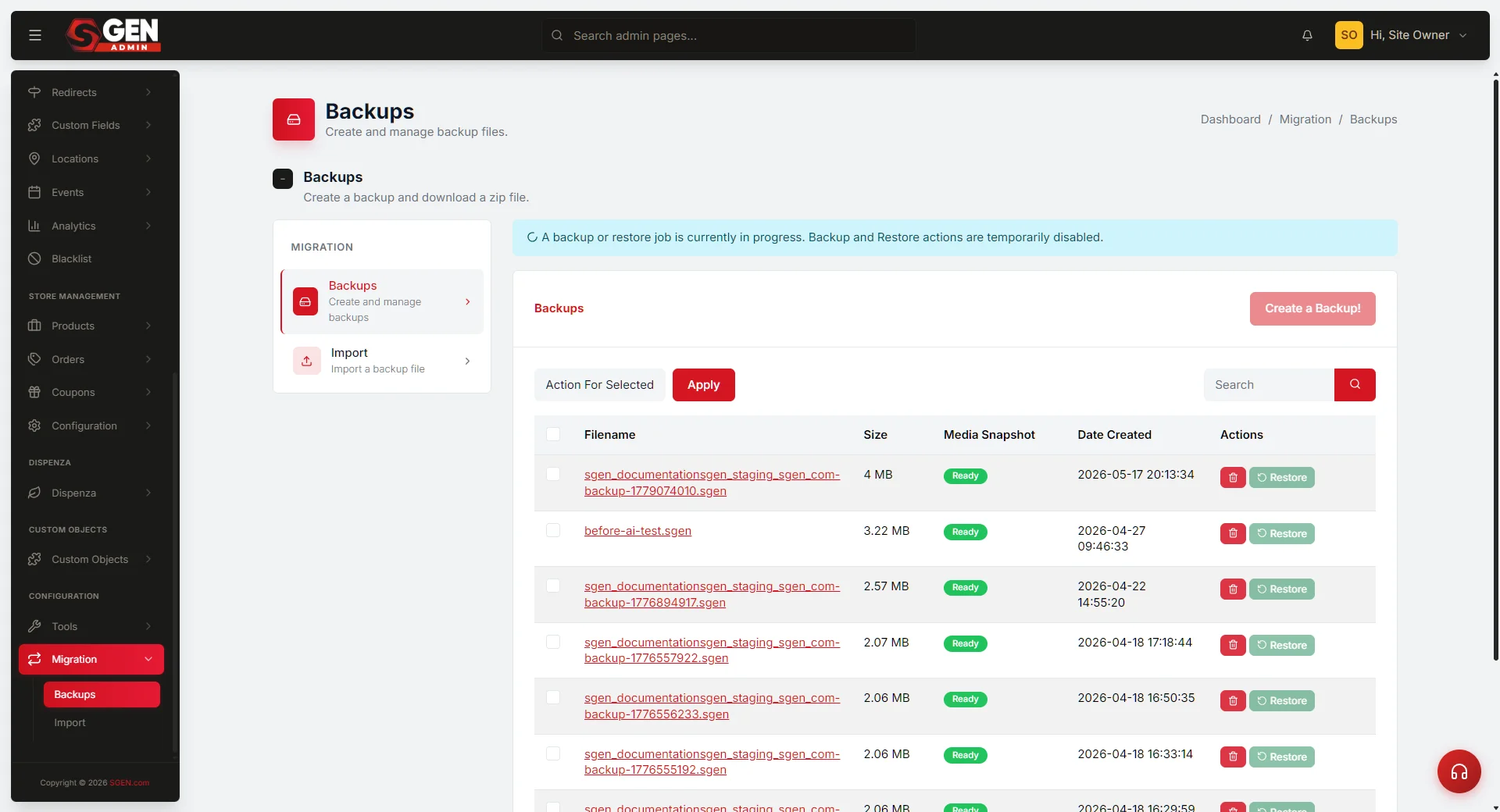
Site backups and restore are part of the Stage & Live operating surface in SGEN. Teams can create backups, manage restore points, and act on recovery events from inside the platform — treated as platform management, not a bolt-on or emergency workaround.
What this gives you
Two capabilities now live natively in Stage & Live.
Backups
Create restore points on demand
Generate a backup of your live site at any time from the Stage & Live panel. Each restore point is timestamped and labelled so you know exactly what state it captures.
Restore
Recover with a single action
Select any restore point and roll back the site to that state. The workflow is native to the platform — no export files to manage, no plugin conflicts, no manual re-import.
Where it fits
Backups and restore live inside Stage & Live — the same panel you use to push changes from stage to production. That placement is deliberate. Recovery readiness is a platform-management concern, not an afterthought. The workflow surfaces there alongside staging pushes, so the operational picture of your site is in one place.
Surface: Stage & Live
Navigate to Stage & Live in your SGEN dashboard and open the Backups tab. The Create Backup button and your existing restore points appear there.
Logging
Each backup and restore action is recorded with a timestamp. The log gives teams an audit-ready record of every recovery event without requiring a separate tool.
No external dependencies
The backup and restore workflow is built into SGEN. There is no plugin to install, no third-party service to configure, and no compatibility issue to resolve after a platform update.
Heads up No setup required. Backups and restore are available now in Stage & Live for all accounts. Open the Backups tab to create your first restore point.