
Builder Templates Are Now Part of SG-Builder
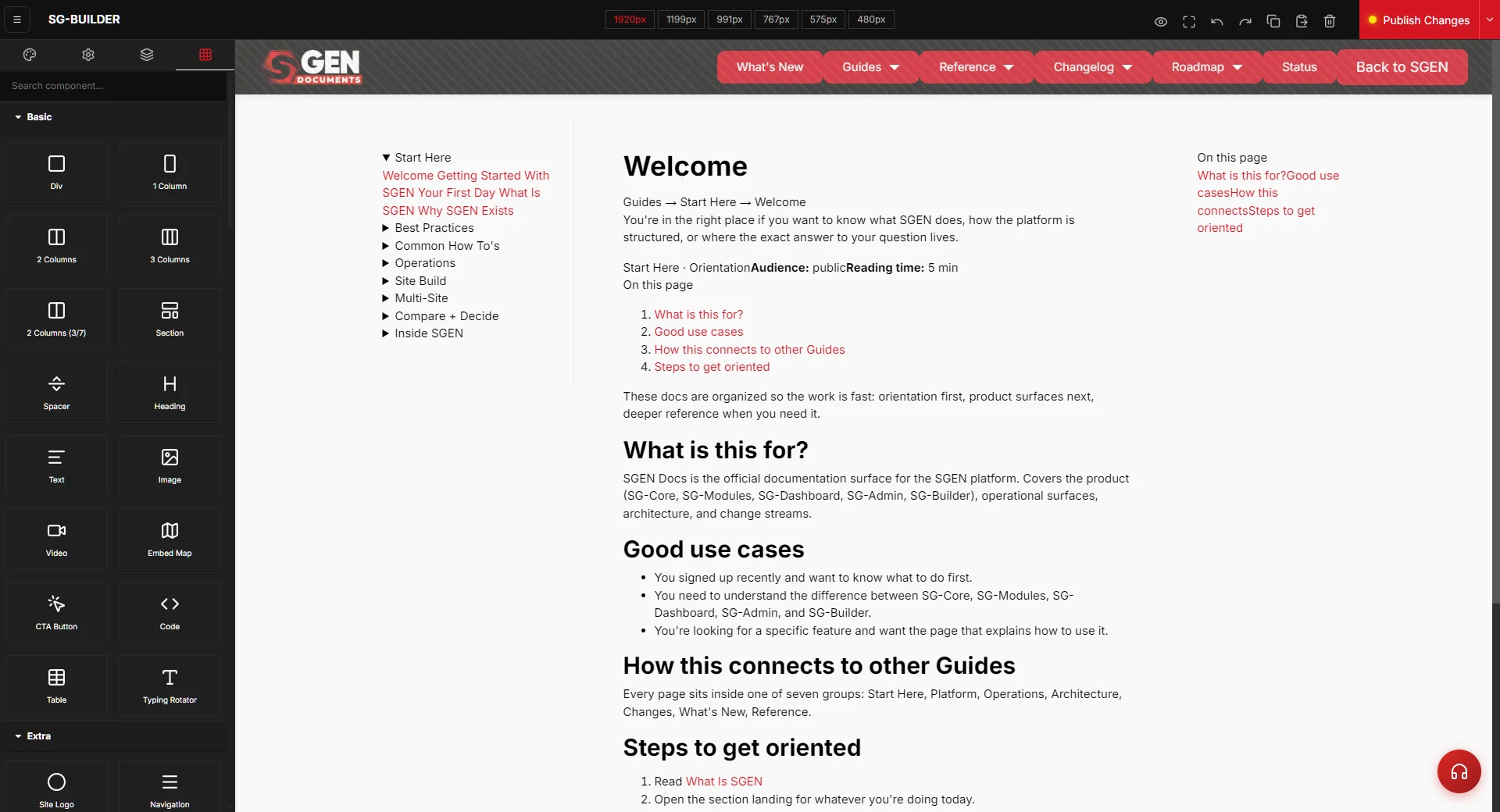
Template workflows are now built into SG-Builder. Reuse page structures, move faster when creating new pages and site sections, and keep layouts consistent — all without plugin conflicts or setup overhead.
What's now live
In a plugin tower, page templates come from whichever theme or builder plugin won the install order, and broken UX is the regular cost of swapping any of them out. SGEN's scoped component system handles templates conflict-free as part of SG-Builder, with server-side rendering.
Template workflows are now part of SG-Builder. This makes it straightforward to reuse page structures and move faster when building new pages, sections, or repeatable layouts inside the platform.
What this means for your team
The value is straightforward across three areas.
Speed
Less repeated setup
Save an approved page structure as a template and reuse it across new pages — no rebuilding the same layout from scratch each time.
Consistency
Layouts that stay aligned
Starting from a shared template means related pages hold their structure. Updates to the base layout apply forward, not backward through manual fixes.
Reliability
No plugin conflicts
Templates live inside SG-Builder's scoped component system and are rendered server-side — no dependency on theme files, third-party plugins, or install order.
Production fit
Built for real workflows
For teams evaluating SGEN, native templates signal that SG-Builder is designed for repeatable production use, not one-off page assembly.
Where it fits
Templates are part of SG-Builder — the visual page editor accessible from Pages in SG-Admin. Open the builder on any page, use the Templates Library to save your current layout or apply a saved template, then publish.
No additional module or plan change is required. Template workflows are available to all accounts with SG-Builder access.
Heads up No setup needed. Template workflows are already available inside SG-Builder. Open any page in the builder to access the Templates Library.