
WordPress to SGEN — Move Your Site
⏱ 2-min answer below · full guide ≈ 8 min · skim the bold lead-ins to move faster.
In short. There is no one-click importer. WordPress to SGEN is a rebuild: pages recreated in SG-Builder, content pasted across, media re-uploaded, redirects set for every changed URL, then DNS pointed at the new site. Three phases — inventory → rebuild → cut over. Small sites (5-10 pages) take 2-4 days; larger sites scale from there. The platform mapping: WordPress core → SG-Core, Elementor → SG-Builder, plugin pile → SG-Modules. That's the shape. The sections below walk each step.
On this page: How it works · Gather from WordPress · Prep SGEN · Rebuild pages · Blog posts + media · Preserve SEO · DNS cutover · Verification checklist · Timelines + pitfalls
How it works
SGEN does not have a WordPress importer. Moving is a rebuild — pages recreated in SG-Builder, content pasted across, media re-uploaded. Your URLs and SEO are preserved through redirects.
The three phases:
- Inventory and gather — list everything that needs to come over (pages, posts, media, forms, redirects).
- Rebuild in SG-Builder — recreate each page, paste content, re-upload media, set navigation.
- Preserve and cut over — set up redirects, verify staging, then point DNS at SGEN.
No import event. No migration wizard. The work is hands-on by design — use it as an opportunity to clean up the site rather than carry legacy debt forward.
What SGEN replaces: Full structural mapping at How SGEN replaces your traditional WordPress stack.
Who this is for: Agency teams, in-house webmasters, developers scoping effort, founders evaluating timeline. Assumes admin access to the WordPress side, a working SGEN site to rebuild into, and basic SG-Builder familiarity. If SG-Builder is new to you, start with the Dashboard Tour and the first-site walkthrough.
Before you start — gather from WordPress
The rebuild goes faster when the source is fully inventoried before you open SGEN.
Access and content:
- Administrator access to the WordPress admin
- A list of every page and post (export to CSV from the Pages and Posts screens)
- Body text for each page and post copied to a shared doc or local editor
- The full uploads directory downloaded to your machine (this is your media library)
Structure:
- Active theme name + a screenshot of each unique page layout (homepage, single post, archive, contact) — design references for SG-Builder
- Menu structure — note which pages each item links to
- Permalink structure — needed to build the redirect map
- A full list of URLs that will change and need a redirect
Functional surfaces:
- Every form (Contact, Newsletter, Booking) — fields and where submissions go
- Custom widgets in sidebars or footers
- Any plugin-driven feature that's load-bearing (membership, e-commerce, events, custom post types)
Before you start — prep the SGEN side
- Provision a site — new SGEN site or your sandbox. See the first-site walkthrough.
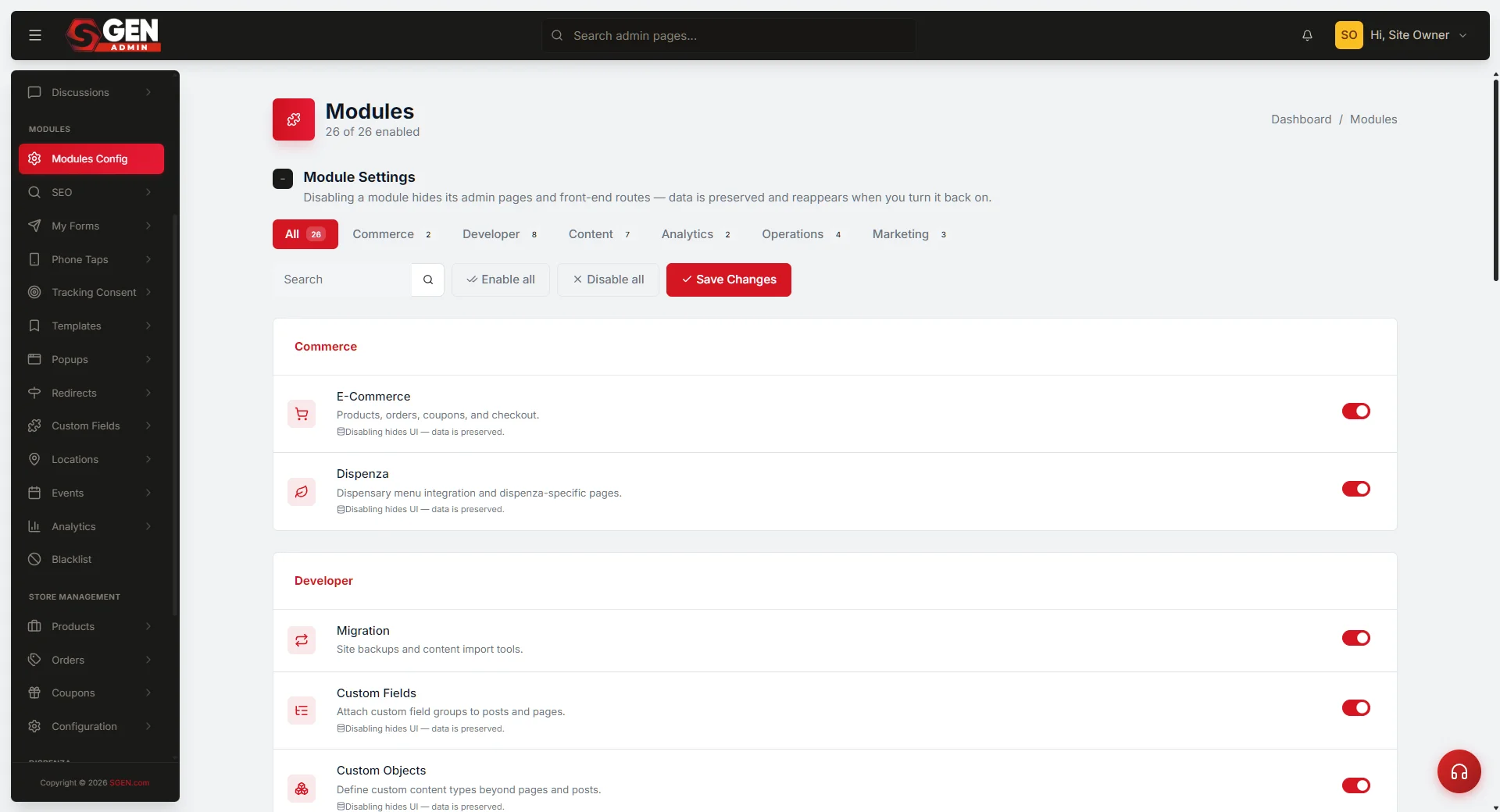
- Enable modules — under Modules Config, turn on what your WordPress site uses: Forms, Tracking Consent, Custom Fields, Events, Ecommerce, etc.
- Take a backup — via Migration → Backups before starting the rebuild. This is your rollback point.
Rebuild the pages
For each WordPress page:
- In SGEN admin, go to Pages → Add New.
- Set the title to match the WordPress page title.
- Set the slug to match the WordPress URL slug — this is the most important step for SEO continuity. If WordPress had
/about-us, the SGEN page should also be/about-us. - Open the page in SG-Builder (click "Edit with SG-Builder").
- Rebuild the layout using SG-Builder blocks, using your WordPress screenshot as the design reference.
- Paste body content into Text and Heading blocks.
- Save and preview at the staging URL.
Time estimate: 15-30 minutes per straightforward page; more for complex layouts (multi-column landing pages, embedded forms, custom shortcodes).
Bring blog posts across
For each blog post:
- Go to Blogs → Add New.
- Match the title, slug, publish date, and author.
- Paste body content into the editor.
- Set the same categories and tags (recreate them in Blogs → Categories / Tags first if needed).
- Re-upload the featured image.
- Save as Draft, then Publish when ready.
50+ posts? This is the most repetitive part. Spread across multiple sessions or split the work across the team.
Bring media across
- Go to Media Library → Add New.
- Drag and drop files from your downloaded uploads directory.
- Re-set alt text on each image — your SEO depends on it.
- As you rebuild each page, re-insert media from the SGEN Media Library.
Image URLs will change. If you have hardcoded upload paths in page body content, update them manually as you rebuild — or in bulk via Tools → Search & Replace once the rebuild is far enough along.
Preserve SEO
Redirects — for every WordPress URL that's changing, set up a 301 in SGEN:
- Go to Modules → Redirects → Add New.
- Source: the old WordPress path (e.g.
/blog/2025/old-slug). - Destination: the new SGEN path (e.g.
/blog/new-slug). - Type: 301 (permanent). Save.
For URL patterns that change in bulk (e.g. /year/month/slug → /slug), use the Is Regex? option to capture the whole pattern in one rule.
Canonical URLs — confirm each SGEN page has the correct canonical set in page settings.
Meta titles + descriptions — re-enter for every page under the page's SEO panel.
Sitemap — SGEN generates /sitemap.xml automatically once pages are published. After cutover, submit it in Google Search Console via SEO → Search Console.
DNS cutover
Only cut over once the rebuild is complete, redirects are in place, and staging is verified.
- In SGEN, go to Settings → Site Settings → Site URL and confirm your domain is configured.
- Update your DNS A record (or CNAME) to point at SGEN's IP.
- Wait for propagation — typically minutes to an hour.
- Test the live URL.
If something is wrong post-cutover, revert DNS to WordPress while you fix the issue.
Verification checklist
Before calling the migration complete:
- [ ] Every WordPress page has a matching page in SGEN
- [ ] Every blog post is migrated, published, dated correctly, categorised, and tagged
- [ ] Media renders on every page — no broken images
- [ ] All forms work — submit a test entry on each
- [ ] Navigation menu works on desktop and mobile
- [ ] Mobile view looks right on every page (use SG-Builder's device-switcher)
- [ ] 301 redirects fire correctly — test 5 random old URLs
- [ ] SEO titles + descriptions are set on every page
- [ ] Sitemap is published and submitted to Search Console
- [ ] Analytics tracking is configured (GA4 / GTM via Tools → Google Integrations)
- [ ] SSL certificate is active on the live domain
Realistic timelines
| Site size | Pages | Blog posts | Rebuild time |
|---|---|---|---|
| Small | 5-10 | 0-25 | 2-4 days |
| Medium | 10-25 | 25-100 | 1-2 weeks |
| Large | 25-100 | 100-500 | 3-6 weeks |
| Very large | 100+ | 500+ | 6+ weeks, split across team |
These are rebuild-time estimates. Calendar time is typically 2-3× longer — factor in review cycles, content cleanup, and stakeholder feedback.
Common pitfalls
Pixel-perfect recreation. Don't try to clone the WordPress design. A migration is the right moment to refresh within SG-Builder's component library. Match the brand, not the layout.
Redirects after DNS cutover. Set redirects up BEFORE you cut over. Once Google crawls your new site and finds dead WordPress URLs, you lose ranking. Redirects active at cutover preserve the equity.
Skipping the media re-upload. Image URLs will break — they're hosted at different paths. Re-upload to SGEN Media Library and re-insert. Don't hotlink to the old WordPress server.
Plugin-for-plugin recreation. SGEN modules cover most WordPress plugin use cases natively. Before recreating a plugin's behaviour, check for a first-party equivalent: Forms, Ecommerce, Events, Redirects, SEO, Custom Fields, Custom Post Types — all native.
Untested redirects at cutover. Test 5 random old WordPress URLs on the staging SGEN site before you go live. Fix any broken redirects first.
Related reading
- How SGEN replaces your traditional WordPress stack — structural platform mapping
- SGEN Dashboard Tour — your map of the admin
- How to build your first site in SGEN — SG-Builder fundamentals
- Backups — your rollback safeguard
- Search and Replace — bulk content cleanup after the rebuild
- Redirects — the URL-preservation surface