
Redirects and 404 Monitoring Are Now Available
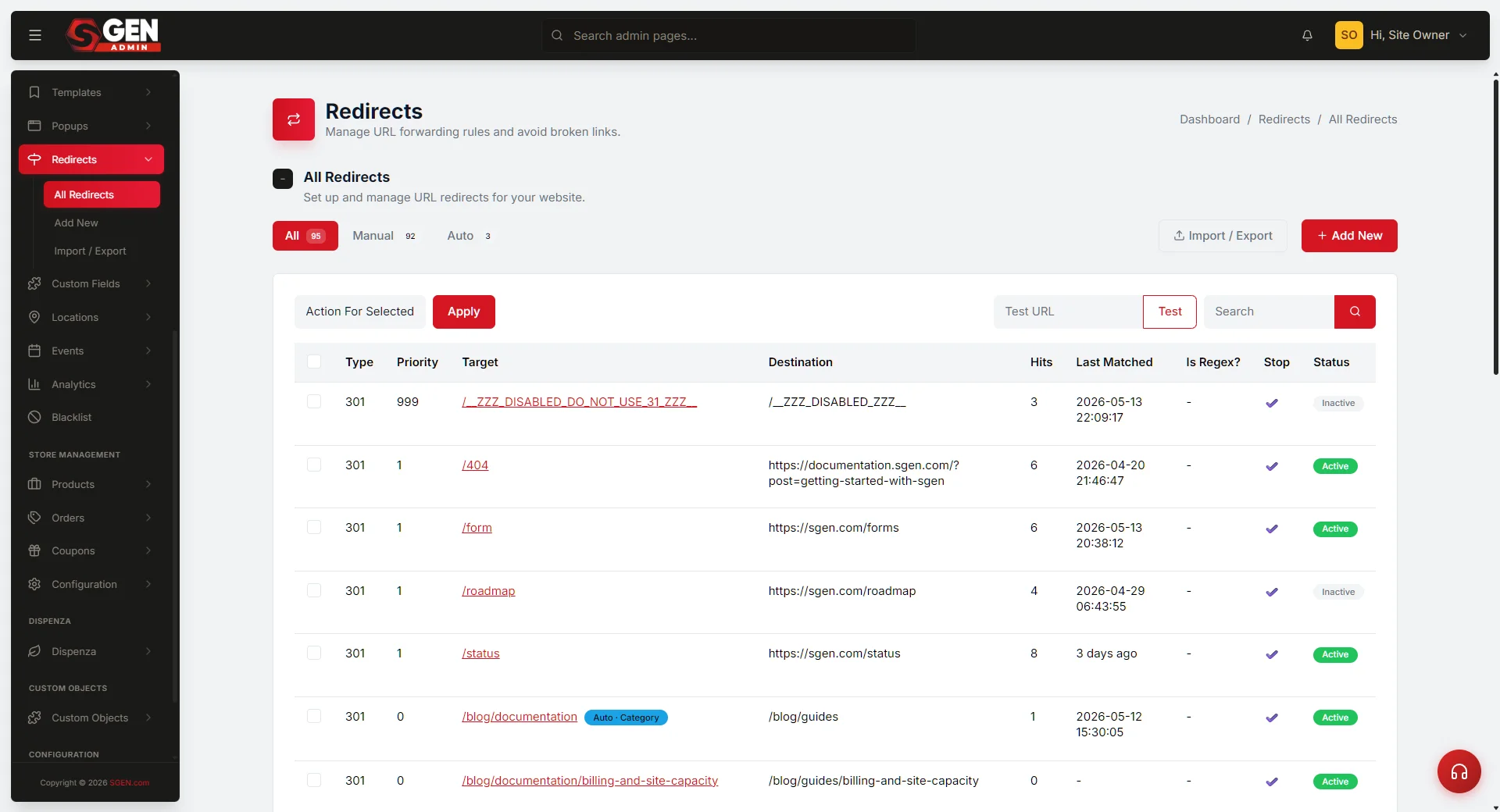
Redirect rules and 404 monitoring are now part of native site management in SGEN. You can define corrective routing and track dead traffic from the same operating layer you already use — no plugin required, no configuration conflict.
What's now live
In a typical plugin stack, redirects live in one plugin and 404 logs sit in another. Keeping them in sync is a manual chore, and gaps between them mean real traffic loss you only find out about later. SGEN ships both in the same site-management surface, with no conflict and a shared audit trail.
What you can do
Both tools are available inside Site Management now.
Redirects
Define corrective routing
Create redirect rules that map old or broken paths to the correct destination. Supports 301 and 302 types. Rules apply site-wide immediately on save — no cache flush, no plugin activation.
404 Monitor
Track dead traffic
The 404 monitor logs every broken path hit by a real visitor — including the referring URL, hit count, and last-seen date. Use the log to find patterns worth redirecting and clear entries once resolved.
Where it fits in the platform
Redirects and 404 monitoring are part of SG-Core, available on every SGEN plan. They sit inside Site Management — the same surface that handles domain settings, site configuration, and access controls. Keeping broken-path handling at the operating layer means the tools are always present, always consistent, and always logging in the same place regardless of which team member or which part of the site triggered the issue.
SG-Core — included on every plan
No add-on required. Redirects and 404 monitoring are available as soon as your site is live.
Site Management surface
Both tools are accessible from the Site Management section of your SGEN admin. Look for the Redirects and 404 Monitor tabs in the left navigation.
Heads up No setup needed. Both features are available in your site management panel now. If you have an existing site, check the 404 monitor first — it may already have entries worth acting on.