
Maintenance Mode Is Built Into the Platform
Maintenance mode is now a native platform control inside SGEN. Place any site into a controlled maintenance state directly from the dashboard — no plugin to install, no conflict risk, and no extra tooling to maintain.
What changed
In a plugin-based stack, maintenance mode is whichever plugin you remembered to install last — and update anxiety drives the install. SGEN ships maintenance mode as a conflict-free native control with server-side rendering.
The feature is live now. Teams can place a site into a controlled maintenance state without treating the change as a separate tooling problem. For operations, that means fewer moving parts when a site needs to be paused, updated, or protected during a maintenance window.
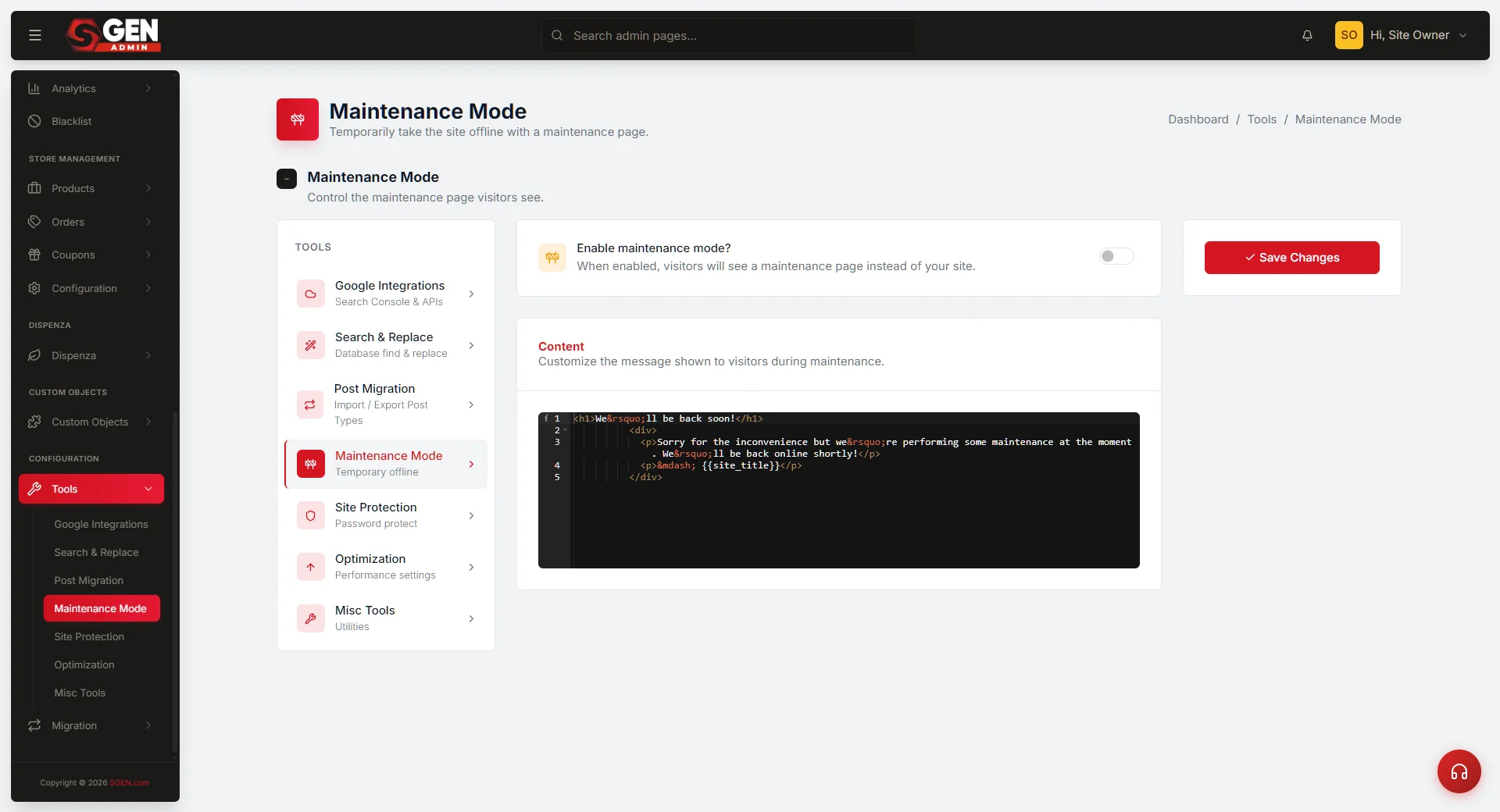
Where it fits
Maintenance mode lives inside the Tools surface of the SGEN dashboard. It is a platform-level control, not a site-builder component — meaning it works regardless of which page template or theme is active.
Surface
Dashboard — Tools
Find maintenance mode under the Tools section of your site dashboard. Toggle it on to put the site into maintenance state; toggle it off to restore normal visitor access.
Availability
All plans, all sites
Maintenance mode is available on every SGEN plan. It applies per-site — you can maintain one property while others stay live.
Why native matters
Plugin-based maintenance mode introduces a class of risk that does not exist with a native control.
No plugin conflicts
A native control has no dependency on the plugin stack. It cannot break because another plugin updated, and it does not need to be updated independently.
Server-side rendering
SGEN renders maintenance mode server-side. The response is controlled at the platform layer before any page content is served — the state is reliable.
Fewer moving parts
One fewer plugin to install, track, update, and audit. The maintenance state is part of the platform, not bolted on top.
Heads up No setup required. Maintenance mode is available in the Tools panel of every existing site — nothing to install or enable before use.