
SGEN common mistakes to avoid
Six patterns trip up most new users: (1) building in Sandbox and expecting the public to see it, (2) saving a page but not publishing it, (3) going live before connecting a domain, (4) reloading your own browser and thinking publishing failed, (5) moving pages without setting redirects, and (6) skipping form notifications. Each one has a single fix — and once you know they exist, none of them will catch you.
Six patterns, six fixes
Each mistake has one clear resolution. Read the bold lead-ins to find the one that applies to you right now.
Sandbox ≠ Live
The most common source of confusion. Know which environment you are in before you build — it changes everything about what visitors see.
Saving ≠ publishing
Saving keeps your work. Publishing makes it public. They are deliberately separate — learn the difference once and it stops being confusing.
⏱ 30-second answer below · full page ≈ 4 min · skim the bold lead-ins to move faster.
On this page: The short list · Sandbox vs Live · Saving vs publishing · Domain connection · Instant changes · Redirects · Form notifications
The short list
Avoid these and your first launch goes smoothly.
Mistake 1 — Confusing Sandbox and Live
What happens: You build in the Sandbox, expect visitors to see it, and they can't. Or the reverse — you assume a Sandbox edit is already affecting a live audience.
Why: Sandbox and Live are two states of one site, not two products. Sandbox is private; Live is public. They look similar, so it is easy to forget which one you are in.
The fix: Check which environment you are in before you build. Nothing in the Sandbox is public until you promote it. Full detail: Environments and site states.
Mistake 2 — Thinking saving is publishing
What happens: You edit a page, click Save, and assume visitors now see the change. The live site still shows the old version.
Why: Saving keeps your work; publishing makes it public. They are deliberately separate so you can work in drafts without exposing half-finished pages.
The fix: Learn the draft → publish flow once — after that, it stops being confusing.
Mistake 3 — Forgetting to connect a domain
What happens: You finish building, go live, and visitors can't reach your site via its custom address.
Why: A live site needs a domain pointed at SGEN. Until you connect one, your custom address leads nowhere.
The fix: Connect your domain as part of going live — not after. See Connect your domain to SGEN and the launch sequence in Go live: publish your first site.
Mistake 4 — Expecting changes to appear instantly everywhere
What happens: You publish a change, reload your own browser, see the old version, and assume publishing failed.
Why: Your browser may be showing a cached copy of the page. Changes take a brief moment to reach every visitor. This is normal.
The fix: Reload the public page in a private or incognito window a few seconds after publishing — that shows you what a fresh visitor sees.
After publishing, SGEN confirms the change went through — this is the moment the live site updates:
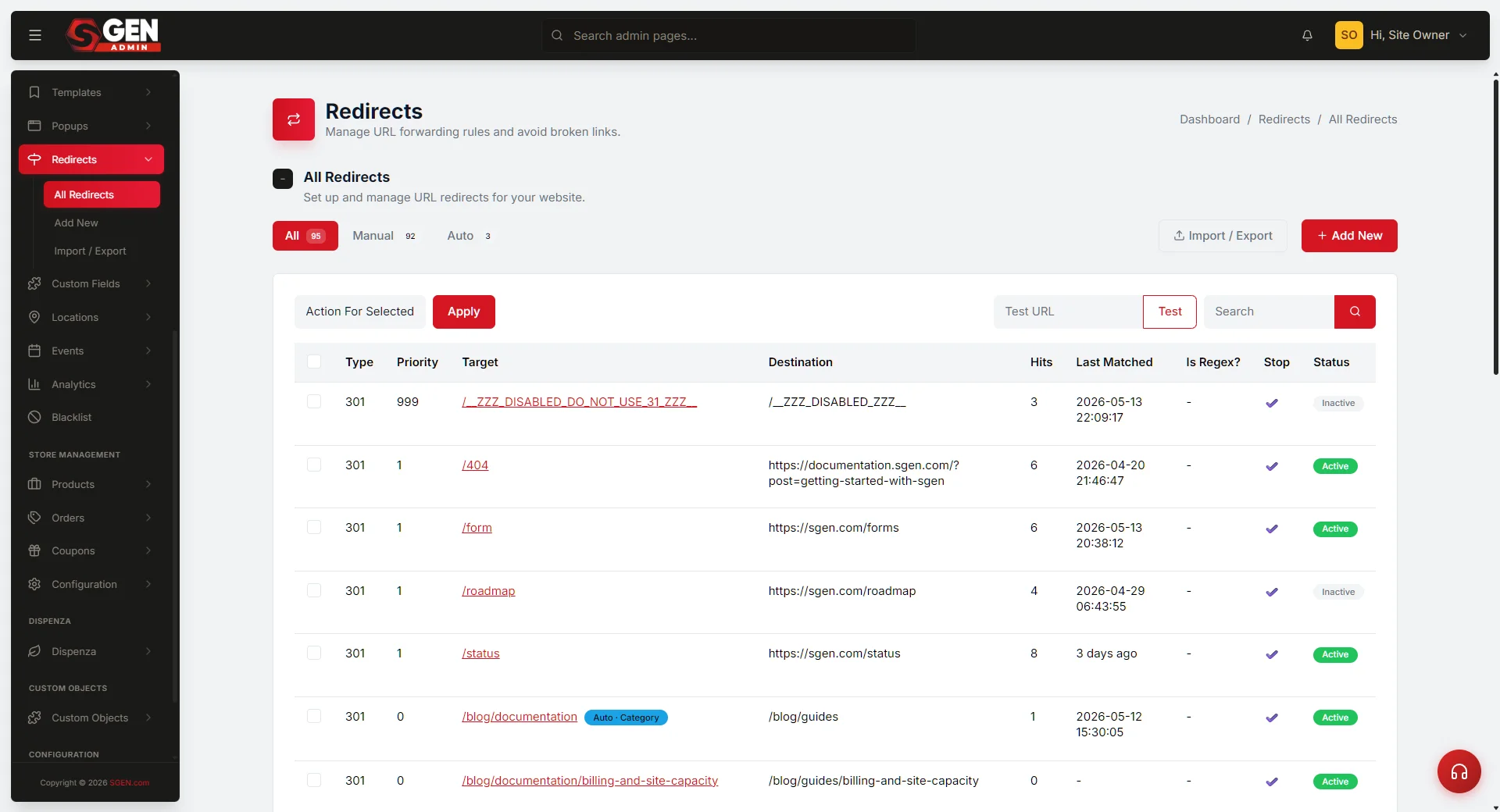
Mistake 5 — Replacing URLs without redirects
What happens: You rename or move pages — especially when migrating from another platform — and old links stop working.
Why: When a page's address changes, anything pointing at the old address no longer finds it unless you tell SGEN where it went.
The fix: Add a redirect from each old address to its new one.
Mistake 6 — Leaving forms unwired
What happens: A contact form goes live, visitors submit it, and the leads pile up unseen — because no one is notified.
Why: A form captures submissions, but you decide where notifications go. Skip that step and submissions arrive silently.
The fix: Set up notifications when you build the form, not after your first missed lead.
When something still looks wrong
If you hit something not covered here, the full troubleshooting reference covers the common issues and their fixes step by step.
Heads up The most common first-launch issue is the Sandbox/Live confusion — always confirm which environment you are in before you build or share a URL with anyone.