
SGEN for Agencies
⏱ 30-second answer below · full page ≈ 4 min · skim the bold steps to move faster.
In short. SGEN is built for agencies. One login covers every client site. Client Manager groups each client's contacts, sites, and billing in one record. The multi-site dashboard lets you switch between clients without re-logging in. White-label replaces platform branding with your own — your logo, your domain, your support contact. When a project wraps, the handoff playbook transfers ownership and access without touching the live site. That's the system.
On this page: Is this you? · The agency journey · What matters most · Pricing · Your next step
Run every client site from one dashboard.
You build and maintain sites for other people. That means your real product isn't any single site — it's the system that lets you launch, manage, and hand off many sites without the work multiplying every time you sign a new client.
Is this you?
- You manage three or more client sites and you're tired of logging into a different place for each one.
- You want clients to see your brand — your logo, your domain, your name — not a third-party tool underneath.
- You bill clients and want the platform cost to sit cleanly inside that.
- You need to hand a site to a client (or take one over) without a messy export-import scramble.
- A new client should mean a repeatable setup, not a from-scratch project every time.
The agency journey
Work through these in order. Each step is a real guide — open it, do the thing, come back.
- Get oriented as a partner. Start with the day-one agency guide. It covers how SGEN is structured for people delivering sites to clients — sandbox, component library, client handoff, and reseller billing — so the rest of this journey makes sense. → For Partner / Agency: Getting Started in SGEN
- Set up your client portfolio. Stand up the org structure that holds all of your client work, so every new site has a home from the moment you create it. → Agency client portfolio setup in SGEN
- Add and organize your clients. Use Client Manager to keep each client, their contacts, and their sites grouped together — the difference between "I think that site is for them" and knowing. → Manage clients in Client Manager
- Run every site from one dashboard. This is the payoff: switch between Client A, Client B, and Client C without re-logging-in, and see the status of all of them at a glance. → Manage multiple sites from one org account
- Put your brand on it (white-label). Replace the underlying platform branding with your own so the experience the client sees is your agency's, end to end. → White-label and reseller setup
- Hand off cleanly. When a project is done — or a client wants to take the keys — follow the handoff playbook so ownership, access, and billing transfer without breaking the live site. → Agency handoff playbook — SGEN client transfer guide
Want a concrete build to point a new client at? The 30-minute agency portfolio tutorial walks the actual page-by-page build you can reuse as a template. → Build an agency portfolio site on SGEN in 30 minutes
What matters most for agencies
| Capability | Why it matters | Guide |
|---|---|---|
| One dashboard, many sites | Your whole book of business on one screen — no per-client logins | Client Manager · Multi-site |
| White-label | Clients see your brand, not the platform's — charge for the outcome, not a resold tool | White-label setup |
| Clean handoff | Transfer ownership and access as a checklist, not a crisis | Handoff playbook |
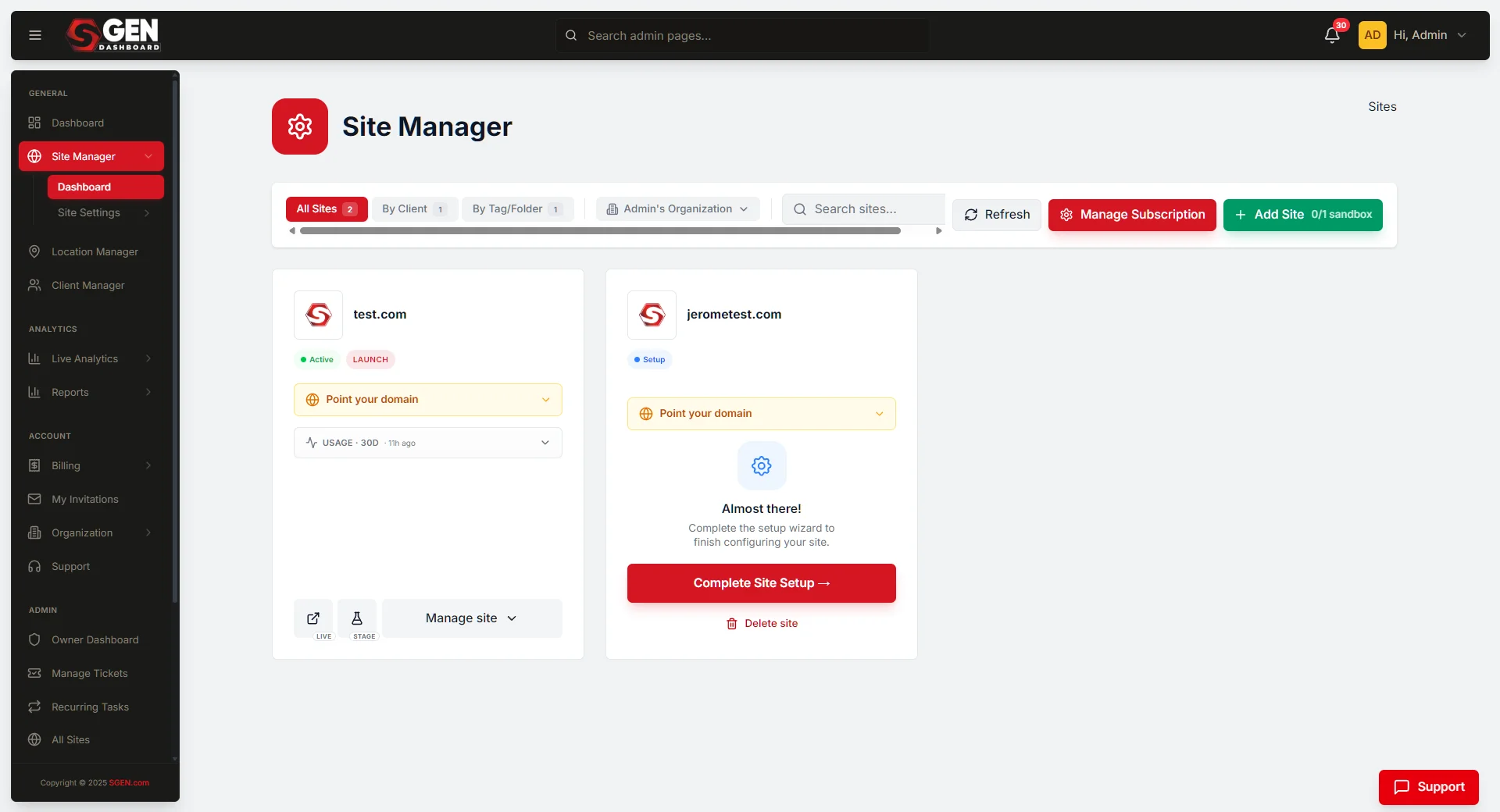
Here is what the multi-site dashboard looks like once your portfolio is set up — every site visible at a glance, with status and a direct jump link per row:
After the project wraps and you trigger the handoff, SGEN confirms ownership and access have transferred — your client becomes the admin, your agency retains whatever collaborator access the handoff settings specified:
Pricing, briefly
SGEN is flat-rate and every plan includes the whole platform — the only thing that changes between plans is how many live sites you can publish, which is exactly the number that grows as your client list grows. Pick the plan that matches your live-site count and move up as you sign clients. → Choose your SGEN plan
Your next step
If you're brand new, start at step 1: For Partner / Agency: Getting Started in SGEN. If you're already set up and just signed a client, jump to Agency client portfolio setup. Either way, the goal is the same — every client site, one dashboard, your brand on top.