
Blacklist
⏱ ~4 min read · Reference — structural definition, not a step-by-step guide.
In short. The Blacklist module is SGEN's per-site filter that rejects unwanted form submissions, IP addresses, and content patterns before they become records. Rules fire at capture time — blocked submissions never reach My Forms and never trigger downstream automation. Use this page to understand what the module does; follow the linked Guide for configuration steps.
On this page: What is this for? · Where to find it · Definition · Scope · Rule kinds · Where blocked submissions surface · Constraints · Examples · Vocabulary
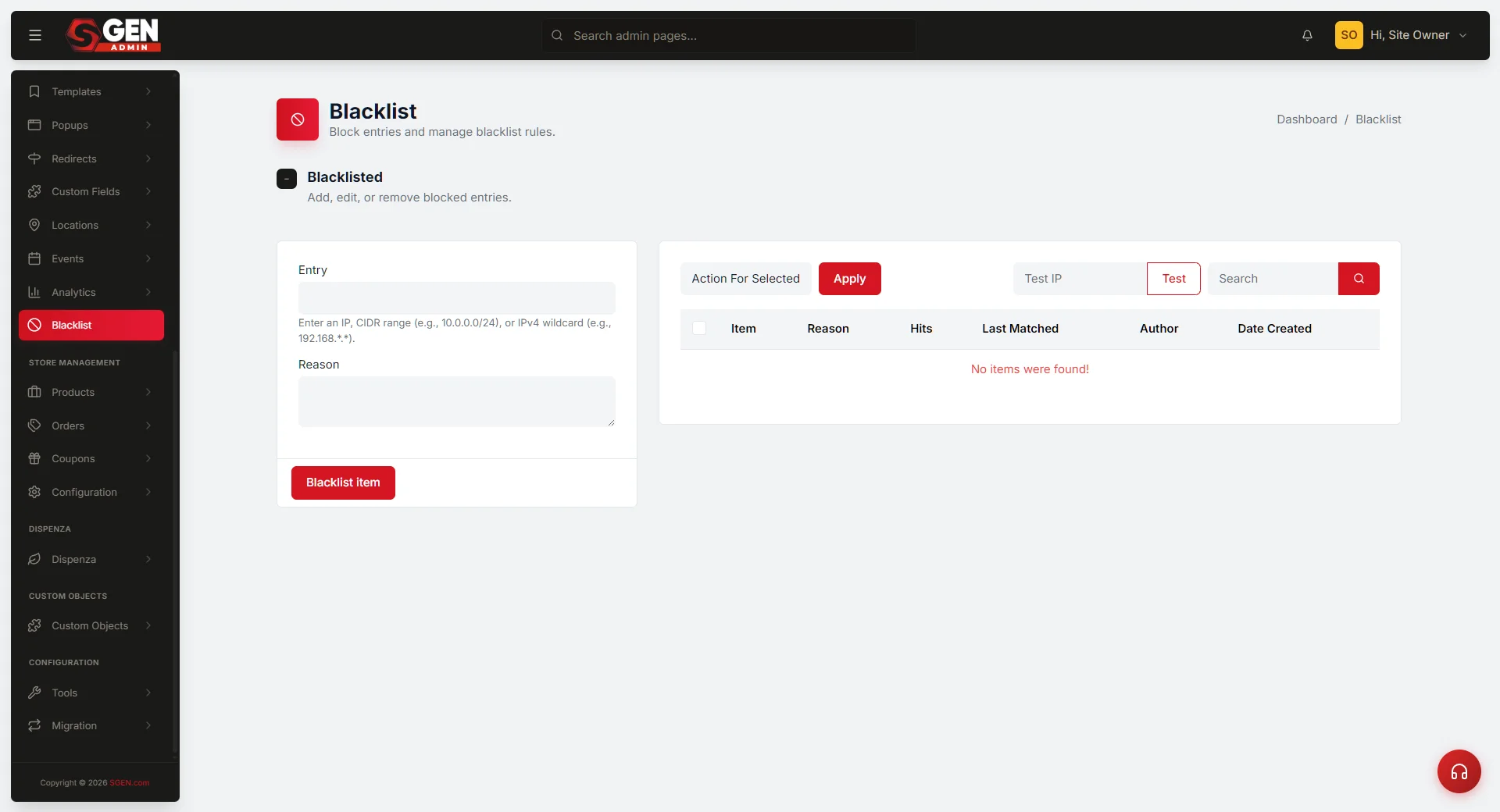
The Blacklist module in SG-Admin is the per-site surface that blocks unwanted form submissions, IP addresses, and content patterns from reaching the site's capture surfaces. Where forms accept submissions and tracking captures events, Blacklist applies the rules that filter out submissions before they land as records.
What is this for?
Use this page to understand the structural definition of the Blacklist module — what gets blocked, what rule kinds exist, and where blocked submissions surface.
Good situations for this page:
- You hit a wave of spam form submissions and want to understand how blocking works before configuring rules.
- You are scoping spam protection for a new site.
- You are explaining to a stakeholder how SGEN handles unwanted-submission filtering.
Not for:
- Step-by-step rule configuration — open the relevant Guide.
- Per-release behavior changes — see What's New or Changelog.
- Reputation management or legal blocking — out of scope.
How this connects to other features
- SG-Admin Overview — parent surface.
- Form Submission Workflow — the workflow Blacklist filters at.
Where to find it
Open SG-Admin for the active site. Blacklist is in the sidebar under the security or content-moderation group. Admin access is required to add, edit, or remove rules.
Definition
The Blacklist module is the per-site filter that blocks submissions and capture events matching defined rules. Rules can target IP addresses, email patterns, content patterns, or composite criteria. Submissions that match a rule are rejected at capture time; they do not become records and they do not fire downstream automation.
The defining property is filter-at-capture: blocking happens before the Form Submission Workflow's record-landing handoff. Blocked submissions never enter the platform.
Scope
This page covers the Blacklist module at the Reference level.
Covered here:
- The rule kinds the module supports.
- What gets filtered and where the filter applies.
- Where blocked-submission state surfaces.
- The boundary against reputation management and legal blocking.
Not covered here:
- Per-step rule configuration — Guides.
- Per-release shipped changes — What's New or Changelog.
- Custom blocking logic beyond platform defaults — out of scope.
Rule kinds
Four rule kinds are available. Each targets a different submission property.
| Rule kind | What it matches | Example pattern |
|---|---|---|
| IP-based | Submission source IP address or range | 192.0.2.0/24 |
| Email-pattern | Form email field — domain, wildcard, or character pattern | *@spammail.example |
| Content-pattern | Submission body — keywords, link counts, URL patterns | link count > 5 in body |
| Composite | Two or more of the above combined | IP range AND content keyword |
IP-based rules
Block submissions arriving from a defined IP address or IP range.
Email-pattern rules
Block submissions where the form's email field matches a defined pattern — specific domains, character patterns, or wildcard expressions.
Content-pattern rules
Block submissions whose body content contains defined patterns — URL spam patterns, link counts above a threshold, or specific language patterns.
Composite rules
Combine two or more of the above kinds for finer-grained control (for example: block submissions that match a content pattern AND arrive from a specific IP range).
Site · SG-Admin · Blacklist — Active rules
| Type | Pattern | Hits | Last block |
|---|---|---|---|
| IP | 192.0.2.0/24 | 147 | 14 min ago |
| *@spammail.example | 89 | 1h ago | |
| Content | contains: viagra OR cheap-loan | 234 | 3 min ago |
| Content | link count > 5 in body | 62 | 2h ago |
Where blocked-submission state surfaces
Blocked submissions do NOT land as records — that is the point. Their existence surfaces in the Blacklist module as hit-counts per rule. Operators reviewing rule effectiveness see how often each rule has blocked submissions within the visible time window.
What you will NOT see in My Forms after a rule fires
- No submission record is created.
- No form notification email is sent.
- No automation or workflow is triggered.
- The hit-count on the matching Blacklist rule increments.
Constraints and boundaries
The Blacklist module handles at-capture filtering. It is not a substitute for reputation management or legal blocking processes.
Use Blacklist for:
- Blocking high-volume spam from known IP ranges.
- Filtering out submissions matching known spam content patterns.
- Blocking submissions from disposable or known-spam email domains.
Do not use Blacklist for:
- Reputation management — out of scope.
- Legal-mandated blocking — that is a separate compliance process.
- Per-step rule configuration — see the Guide.
Examples
Example 1 — Spam wave triggers IP-range block
A wave of submissions arrives from one IP range. The operator opens Blacklist, adds an IP-range rule, and watches the hit-count climb as the rule blocks subsequent attempts. The submissions never reach My Forms.
Example 2 — Operator scopes content-pattern rules
The operator reviews recent unwanted submissions, identifies a recurring content pattern, and adds a content-pattern rule. The rule blocks future matching submissions at capture.
Example 3 — Stakeholder asks "are we filtering spam?"
The operator opens Blacklist and shows the rule list with hit-counts — a clear audit trail grounding the conversation in the platform's filter model.
Related reading
- SG-Admin Overview — parent surface.
- Form Submission Workflow — the workflow Blacklist filters at.
- My Forms — where non-blocked submissions appear as records.
Vocabulary cross-reference
- Blacklist — the per-site filter that blocks submissions matching defined rules.
- Rule — one filter expression: IP-based, email-pattern, content-pattern, or composite.
- At-capture — when filtering happens: before record landing, before any automation fires.
- Hit count — the number of times a rule has blocked a submission within the visible time window.
- Composite rule — a rule combining two or more rule kinds for finer control.
Blacklist rule kinds
| Rule kind | What it matches | Example pattern |
|---|---|---|
| IP-based | Submission source IP address or range | 192.0.2.0/24 |
| Email-pattern | Form email field — domain, wildcard, or character pattern | *@spammail.example |
| Content-pattern | Submission body — keywords, link counts, URL patterns | link count > 5 in body |
| Composite | Two or more of the above combined | IP range AND content keyword |